OctaneRender community
Multi-GPU OctaneBench configurations
Multi-GPU configurations published in community OctaneBench results, together with custom chassis manufacturing and long-term support.

GRUENCY / Rendering workstations
GPU rendering speed grows with the number of GPUs, provided PCIe lanes, cooling and noise are planned for them. GRUENCY plans all three before any part is ordered. Sebastian Michalski has built multi-GPU OctaneRender workstations since 2011 and is known in the OctaneRender community as smicha.
Each rendering workstation goes through a sustained full-load burn-in, a thermal profile for every GPU and a noise check against the studio target. It is delivered with its own test record.
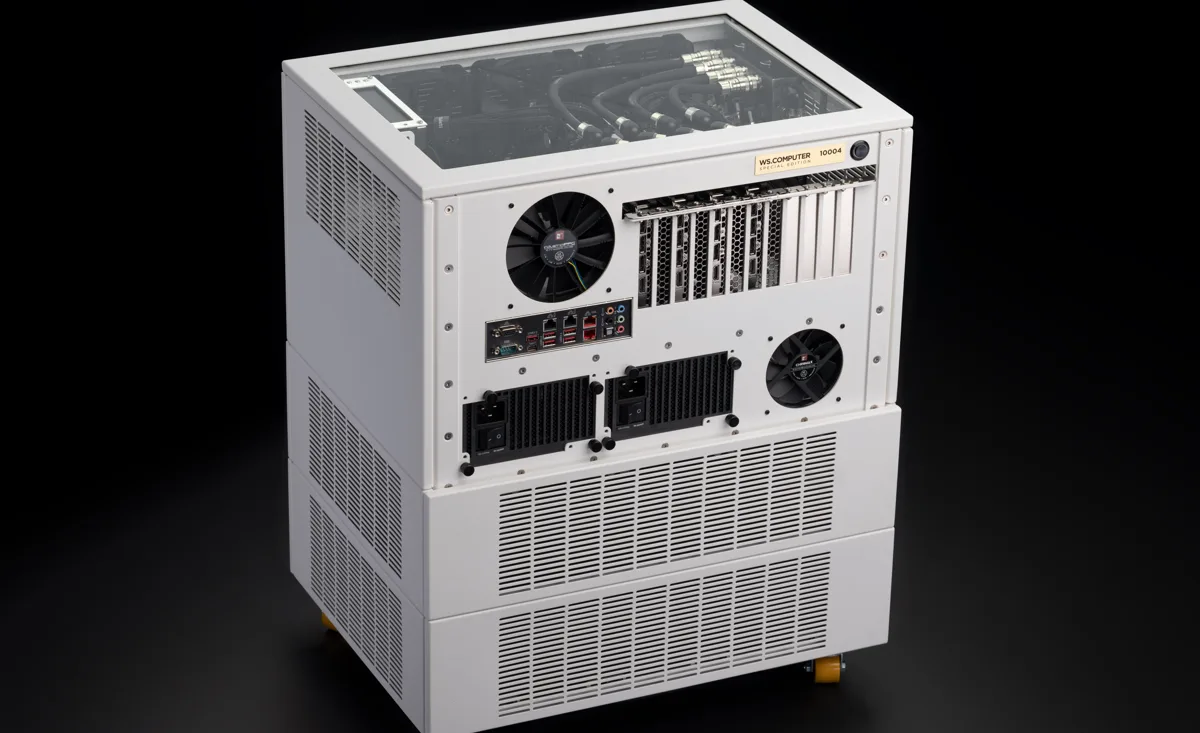
Multi-GPU configurations published in community OctaneBench results, together with custom chassis manufacturing and long-term support.
A dual-CPU server platform in a single case, built in 2017.
Vendor work for NVIDIA on VFX, rendering and visualisation workflows.
GPU path tracers in general. Most of the work has been with OctaneRender, and the same configurations run Redshift and similar pipelines.
A noise target is agreed at specification. Custom water-cooling keeps a multi-GPU workstation quiet enough for a studio.
Yes. Small render farms and rack systems go through the same testing and are commissioned remotely into your pipeline.
Octane renders each frame on every GPU in parallel, so the scene has to fit in the VRAM of each card. VRAM does not add up across cards. Out-of-core textures and geometry help, at a cost in speed. GPU choice starts from the largest scene you render. The card count then follows from the frame times you need.
OctaneBench measures path-tracing throughput. Octane scales across GPUs close to linearly, so the OctaneBench score of a multi-GPU workstation is a practical guide to how many frames it renders per hour. This holds when PCIe lanes, power and cooling keep the cards at full clocks under sustained load.
smicha is Sebastian Michalski, founder of GRUENCY and of the WS.COMPUTER hardware line. He is known under that name in the OctaneRender community for multi-GPU, water-cooled render builds.
Describe the scenes, the render engine and where the machine will be used.
Or email info@gruency.com